
You notice the same annoyances every day and fix them never. Fixing them means opening DevTools, and DevTools forgets the moment you reload. Boosts remembers. A snippet of CSS or JavaScript, pointed at the sites it belongs to, applied every time you visit them.
A docs page with a column too narrow to read. A sidebar you have never once looked at. A header that follows you down the page. A font two sizes too small on the one dashboard you stare at all day. Fix each one once, and stop thinking about it.
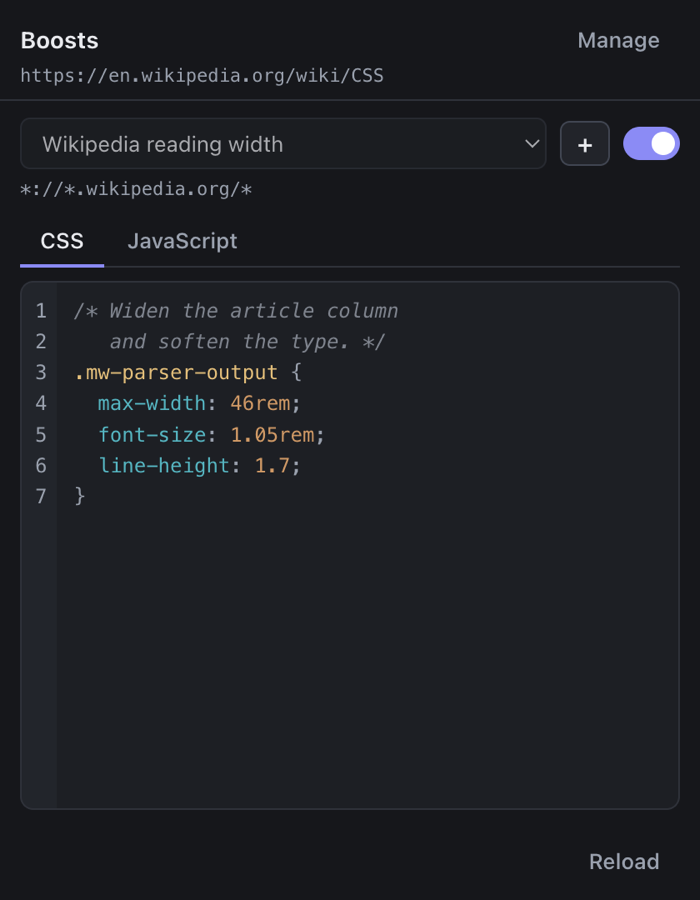
Both, per boost, with a real editor: line numbers, auto-indent, bracket completion and syntax highlighting for each language.
Save, and every open tab updates with no reload. The popup previews your changes as you type them.
Type github.com, get every subdomain. Type localhost:3000 and
the port is dropped for you, because match patterns already cover every port.
A popup is dismissed by clicking away, with no chance to press a button. So there is no button: edits are written as you make them.
Two boosts on one site are resolved by their order in the list, and the list is something you can actually rearrange.
Pause every boost at once. Broke the web with a stray *? The manager is an
extension page, so it always still opens.
No mockups. These are screenshots of the extension running.
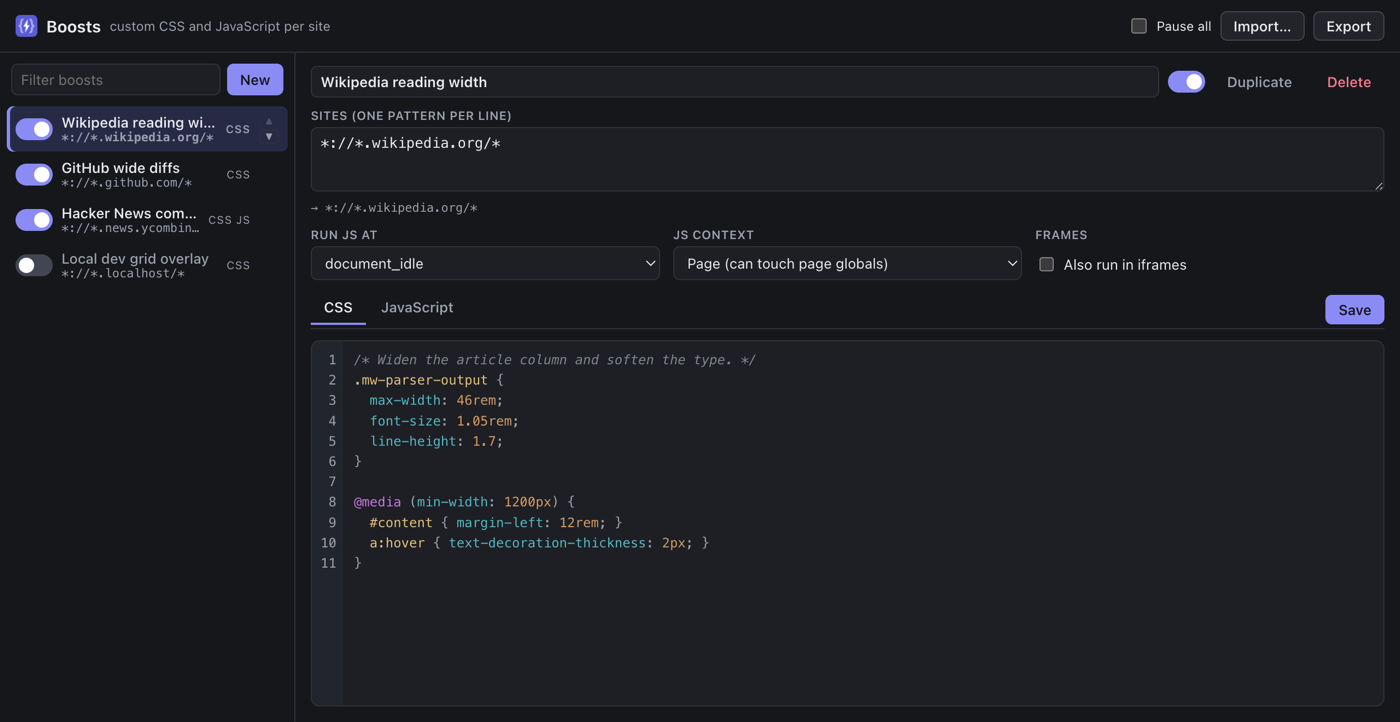
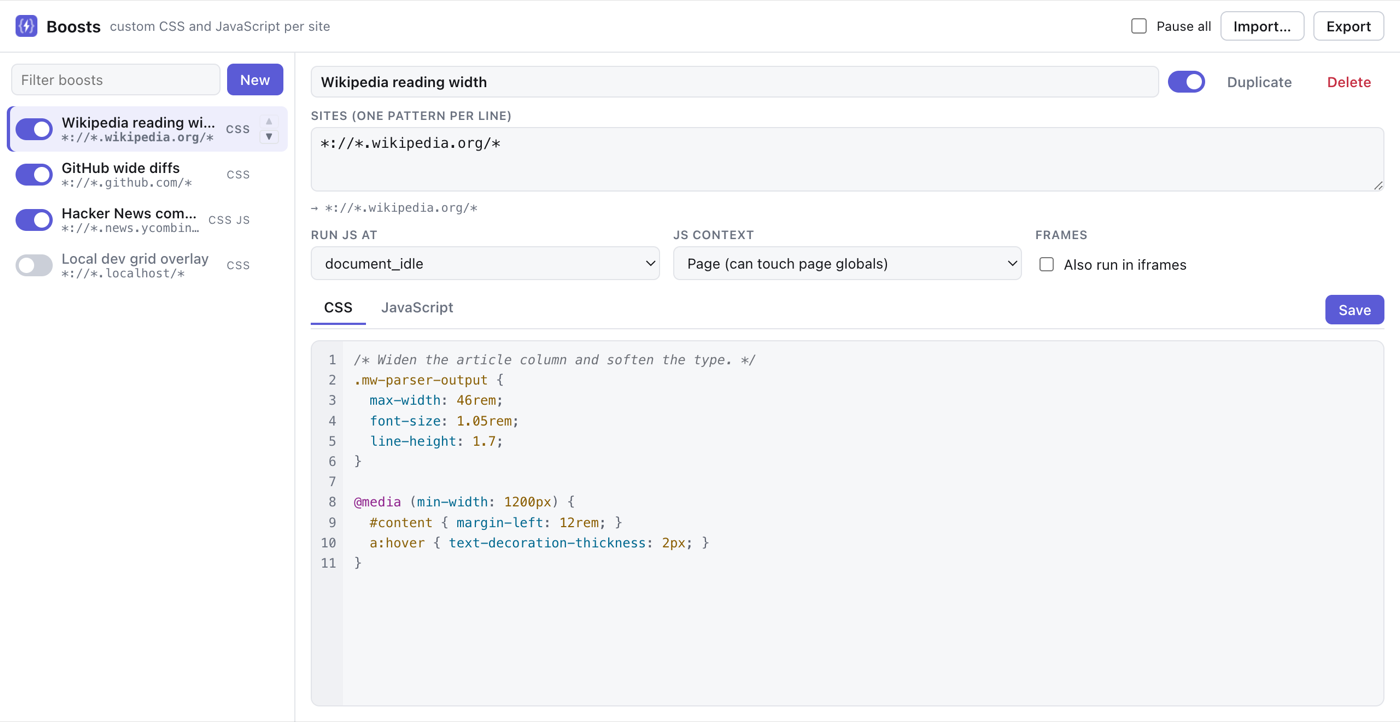
Sites  wikipedia.org  → *://*.wikipedia.org/*

/* Widen the article column and soften the type. */
.mw-parser-output {
  max-width: 46rem;
  line-height: 1.7;
}

@media (min-width: 1200px) {
  #content { margin-left: 12rem; }
}
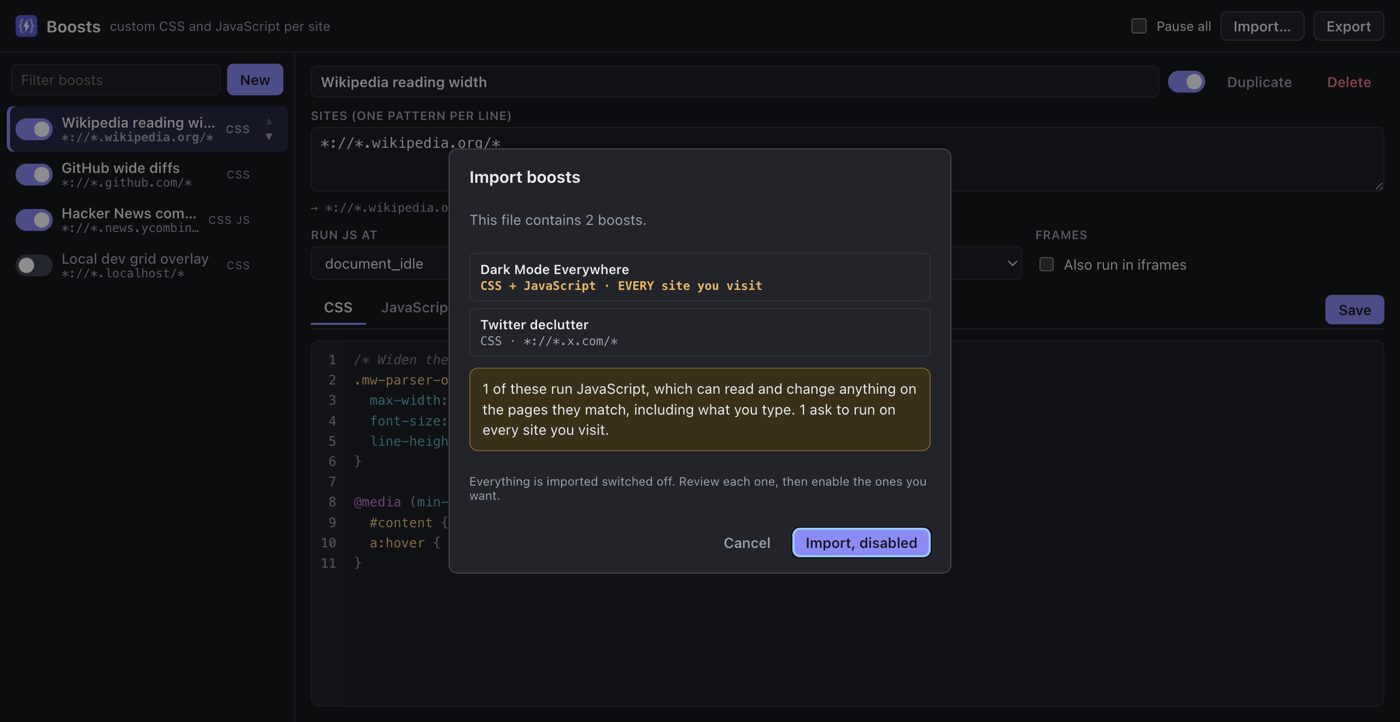
Boosts needs access to the sites you use, because a per-site injector cannot know in advance which ones you will want. Here is exactly what it does with that.
grep the repository for fetch and you will find nothing outside the tests.One click from the Chrome Web Store, or load it from source if you would rather read every line first.